
How to Separate Personal and Business Expenses (Even If You've Been Mixing Them)
Personal and business expenses mix because there's no friction at entry. Routing charges through a logging form at the moment of purchase fixes the problem


The goal is to separate personal and business expenses. Most small business owners start out the same way instead: one account, one card, one pile. Business lunch, personal grocery run, office supplies, gym membership. It all goes into the same statement. At tax time, someone (you or your accountant) has to go through every line and sort it. It is tedious, error-prone, and entirely avoidable.
The fix isn't discipline. It's structure. When you build a system where business expenses enter through a separate channel by design, mixing becomes harder than separating.
Why mixing happens in the first place
Personal and business finances blend for a few predictable reasons. Most self-employed people launch without a dedicated business bank account. Even those who open one eventually use the wrong card at a restaurant, pay a subscription from the wrong account, or grab cash from whatever source is available. The mixing isn't laziness. It's what happens when there's no friction between the two.
Reactive separation (going back through a statement and flagging business charges) works, but it asks you to make categorization decisions in bulk, after the fact, often under time pressure. You're trying to remember whether a restaurant charge was a client meal or a personal dinner two months later. The accuracy degrades, and so does your confidence in the numbers.
Proactive separation at the point of entry
The structural fix is to route business expenses through a separate channel at the moment they happen, not when you reconcile later.
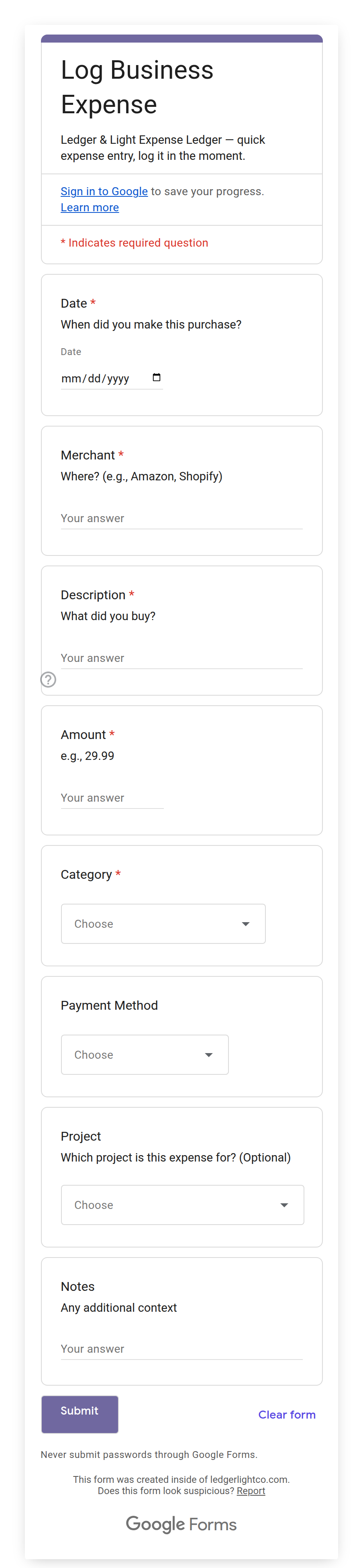
For businesses that log expenses in Google Sheets, this means using a logging form: a short mobile form that captures the details of a single business expense: date, amount, vendor, category, payment method. When a business expense happens, you log it immediately. Personal spending never touches the form. The form isn't for personal expenses; it's not designed for them; there's no prompt that invites them. The separation isn't enforced by willpower. It's built into the workflow.
Expense Ledger uses an Expense Form that works this way. It's a Google Form linked directly to your sheet, designed to open on your phone. A receipt photo field can sit on it as well: Google gives the setup script no way to create a file-upload question, so you add that one by hand from your setup instructions, and from then on an image travels with the entry. Every submission arrives pre-categorized across the Schedule C expense categories that apply to most solo freelancers and self-employed business owners, the same categories the IRS uses for self-employment expense reporting. You're not sorting later. You're categorizing at the moment of entry, while the transaction is fresh.
What to do if you've already been mixing
Starting a clean separation going forward is straightforward: open a business checking account if you don't have one, get a business card, and only log business expenses in your expense ledger. The new entries will be clean.
The harder question is what to do with existing mixed records. A few approaches:
Go back through your bank and credit card statements and identify the business charges. Most banks let you filter transactions by merchant or amount, and export to CSV. You're not reviewing every transaction. You're pulling the business ones and ignoring the rest.
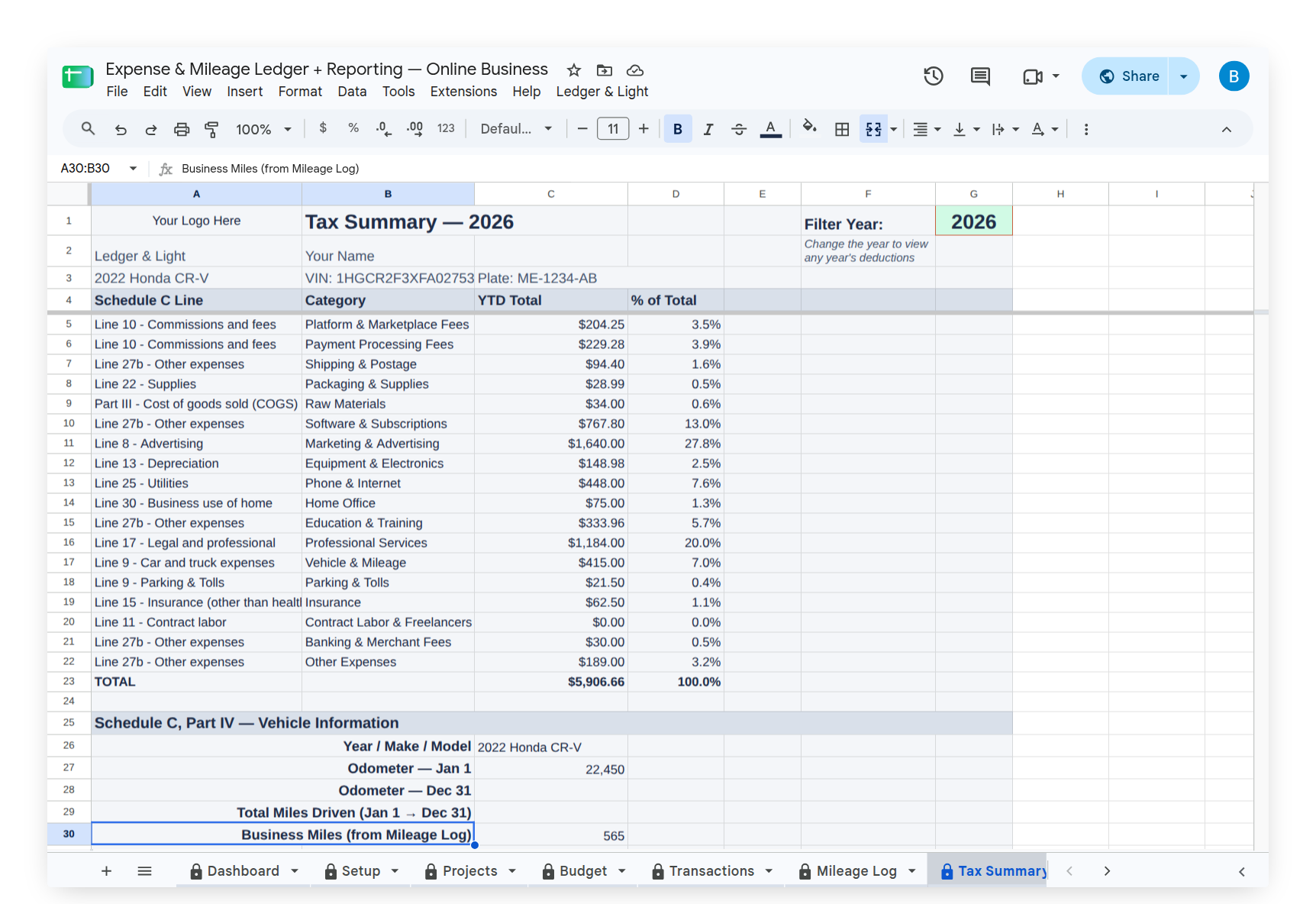
If you have months of entries already in a sheet, a year filter helps. Rather than scrolling through hundreds of rows, filtering to a single year lets you work through a defined set. Expense Ledger's Tax Summary includes a G1 year filter. Set it to the year you're reviewing and the tab recalculates to show only that year's deductions. This is useful both for catching up on a mixed year and for confirming a clean year looks right before filing. With Expense & Mileage Ledger + Reporting, Email Tax Report sends your Tax Summary, expense transactions, and mileage log directly to your accountant as formatted PDFs from the menu, and Tab Export saves it to your Drive by year.
The goal for mixed historical records is completeness, not perfection. Flag every business expense you're confident about. For anything ambiguous, the IRS standard is that an expense must be "ordinary and necessary" for your trade or business. If you can't connect it to a business purpose, leave it out. An overly conservative deduction is much less expensive than a disallowed one.
The bank account question
You don't need to separate personal and business finances immediately to start logging accurately. Plenty of sole proprietors run both through a single personal account, especially in the early years. What matters for taxes is whether the expense was business-related, not which account it came from.
That said, a dedicated business account makes everything easier: cleaner records, clearer audit trail, and no need to parse mixed statements. If you're not there yet, start by routing business expenses through one specific card, even a personal one. Designate it as the business card and log every charge on it. That single rule eliminates most of the mixing.
Building the habit
The failure mode for expense logging isn't a missing category or a complicated form. It's the gap between the expense and the log entry. A receipt tucked in a pocket, a charge you'll "remember later": these are where records break down.
The mobile form solves this gap. It travels with you. Log the expense while you're still at the restaurant, the supply store, or the gas station. Thirty seconds at the point of purchase is worth an hour of reconstruction later. The form is designed to make that immediate entry the path of least resistance, not the careful, thorough entry you'll get to eventually.
That habit, applied consistently, produces accurate records by default. Separation becomes a byproduct of the workflow, not a task you return to.