
Tracking Expenses You Submit to Someone Else
Track reimbursable expenses through a Google Form, attach receipts per entry, and export a dated PDF to accounting — no employer login required


If you need to track reimbursable expenses (costs you front for a job and then submit to a client, employer, or project accounting department), the challenge isn't the logging. It's having a clean, documented record ready when it's time to submit.
Most contractors and employees piece this together informally: paper forms that accounting mails out, email threads with screenshot attachments, a notes app total reconstructed at month's end. Nothing wrong with any of these methods until something gets disputed, a receipt goes missing, or accounting comes back three months later asking for documentation you no longer have.
The Expense Ledger was also built for this workflow.
Log each reimbursable expense when it happens
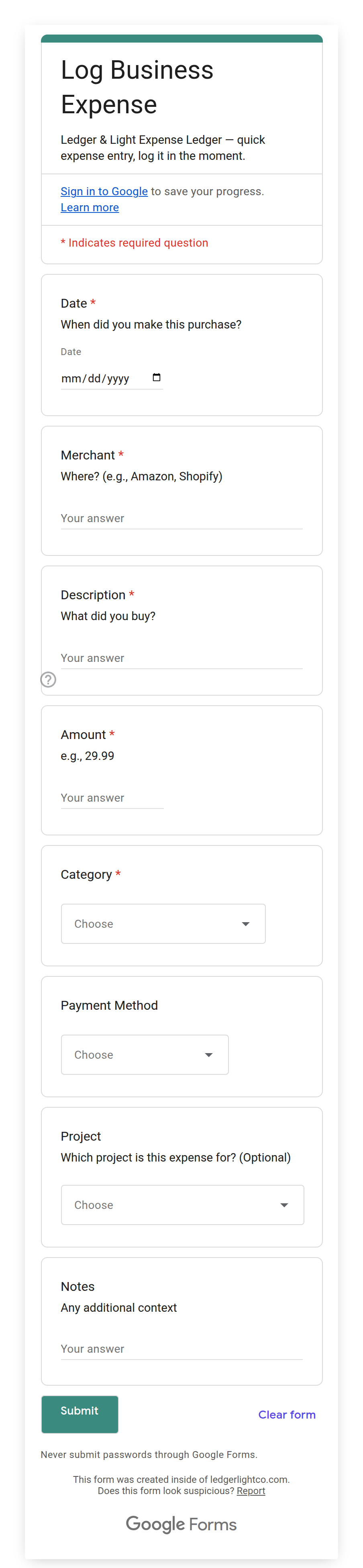
The Expense Form is a Google Form on your phone. When you buy something reimbursable (supplies for a job, a meal with a client, a parking charge, a tool rental), open the form and submit the entry: amount, date, category, note.
You add the receipt photo field to the form once, following your setup instructions — Google doesn't let the setup script create a file-upload question, so it's a quick step you do by hand. Once it's there, tap it to take a photo on the spot, or attach a saved file. The photo links directly to that entry in your Transactions tab, not in a separate folder to cross-reference later, but to the specific row it belongs to.
The Transactions tab is your record
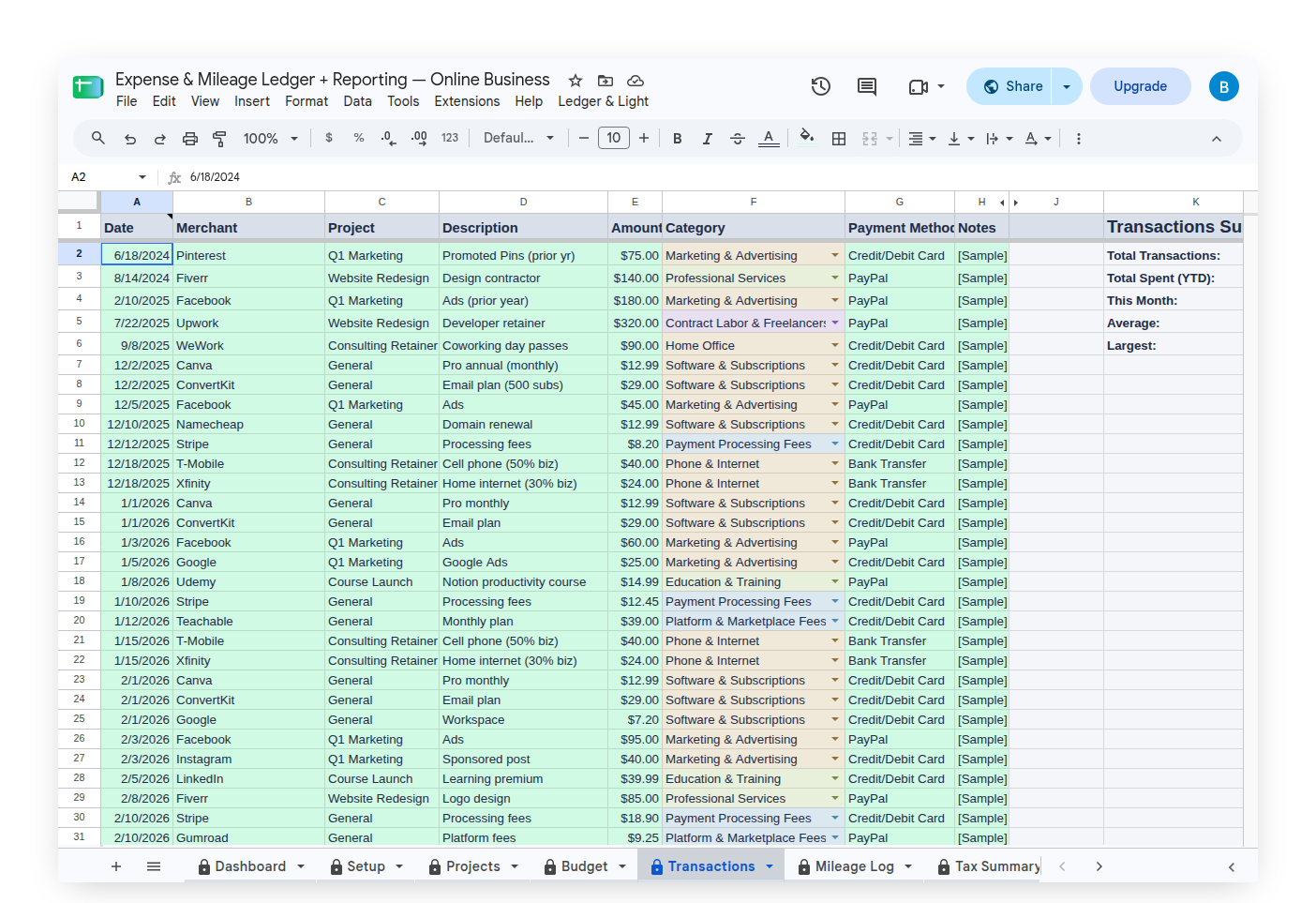
Every submission lands in the Transactions tab: date, amount, category, note, and a link to the receipt file in your Google Drive. The record is timestamped and permanent. Nothing depends on your memory of what the receipt was for. The form captured that at the moment it happened.
When it's time to submit, you have a complete, organized record for any date range you choose.
Export a clean PDF to hand to accounting
Tab Export is an Expense & Mileage Ledger + Reporting feature. Your custom Expense Ledger menu includes a Tab Export option. Select the Transactions tab and the sheet generates a PDF, named automatically by date range. Every entry, every receipt link, in a single file.
Accounting gets a PDF with every entry documented (amounts, categories, dates, receipt links) without needing access to the Expense Ledger or a login. The original record stays in your Drive.
For a monthly reimbursement cycle, Tab Export at the end of each period produces one file per month, named automatically, saved to your Drive.
What it doesn't do
The Expense Ledger is not an approval workflow. There's no manager sign-off step, no policy check, no automatic flagging when an expense exceeds a limit. If your employer uses Concur, Expensify, or a similar system with built-in approval routing, those systems handle things this one doesn't.
For a freelancer or independent contractor submitting expenses once a month, that complexity isn't the right fit. You don't need an enterprise approval layer. You need a clean, documented record that's easy to hand off and easy to defend if anything gets questioned later.
Sharing the form with a crew
The Expense Form URL is shareable. If you're managing a crew or working with a partner who also incurs reimbursable expenses on the same job, send them the link. They submit through the same form; their entries land in the same Transactions tab. No one needs access to the Expense Ledger itself, just the form link.
One sheet, one Transactions tab, all entries from every person who submitted.
Your record, in your Drive
Expense Ledger is a one-time purchase. No employer software to install, no per-seat license, no account that exists at someone else's discretion. The sheet lives in your Google Drive. If you leave the job, you still have the record. If a reimbursement gets disputed six months later, you have the documentation.
For a contractor who's been submitting handwritten forms or emailed screenshots, the upgrade is straightforward: log it when it happens, export a clean PDF when it's time to submit. The record is always there, always organized, and always yours.