What to Do When Your Business Is Too Small for QuickBooks
QuickBooks is built for payroll, invoicing, and reconciliation. Here's how to tell whether your business needs it or whether a leaner tool is the right fit


The too small for QuickBooks freelancer question surfaces in year one or two. There's a specific moment most people remember: the first time someone tells them they need QuickBooks. Maybe it's an accountant. Maybe it's a forum post. Maybe it's the QuickBooks ad that follows them around the internet.
The advice is well-intentioned. It's also not always true. The question worth asking isn't "am I ready for QuickBooks?" It's "do I actually need what QuickBooks does?"
What QuickBooks is built for
QuickBooks is accounting software — double-entry bookkeeping, payroll, multi-user access, bank feeds, automated invoicing, reconciliation. It was built for businesses that have enough financial complexity to justify that infrastructure: employees, clients on net terms, inventory, multi-account reconciliation, revenue that requires accrual accounting rather than cash-basis recording.
QuickBooks Solopreneur targets freelancers specifically. It connects directly to bank accounts, pulls transactions automatically, and handles estimated quarterly tax calculations. For a freelancer billing multiple clients across many expense categories with a high transaction volume, that automation has real value.
What it isn't built for
For a freelancer doing ten to forty transactions a month, logging deductible business expenses against a budget, and filing Schedule C at tax time, QuickBooks Solopreneur is a recurring cost attached to a feature set that mostly goes unused. The bank import matters if you have a high enough volume that manual entry is a real burden. The quarterly estimates matter if you need guidance on what you owe mid-year. If you already have an accountant, or if you're paying estimated taxes using last year's return as a benchmark, those features may add less than they appear to.
No software category is right for every business size. The right question is whether the complexity you're managing justifies the infrastructure you're buying.
The trade-offs of a leaner approach
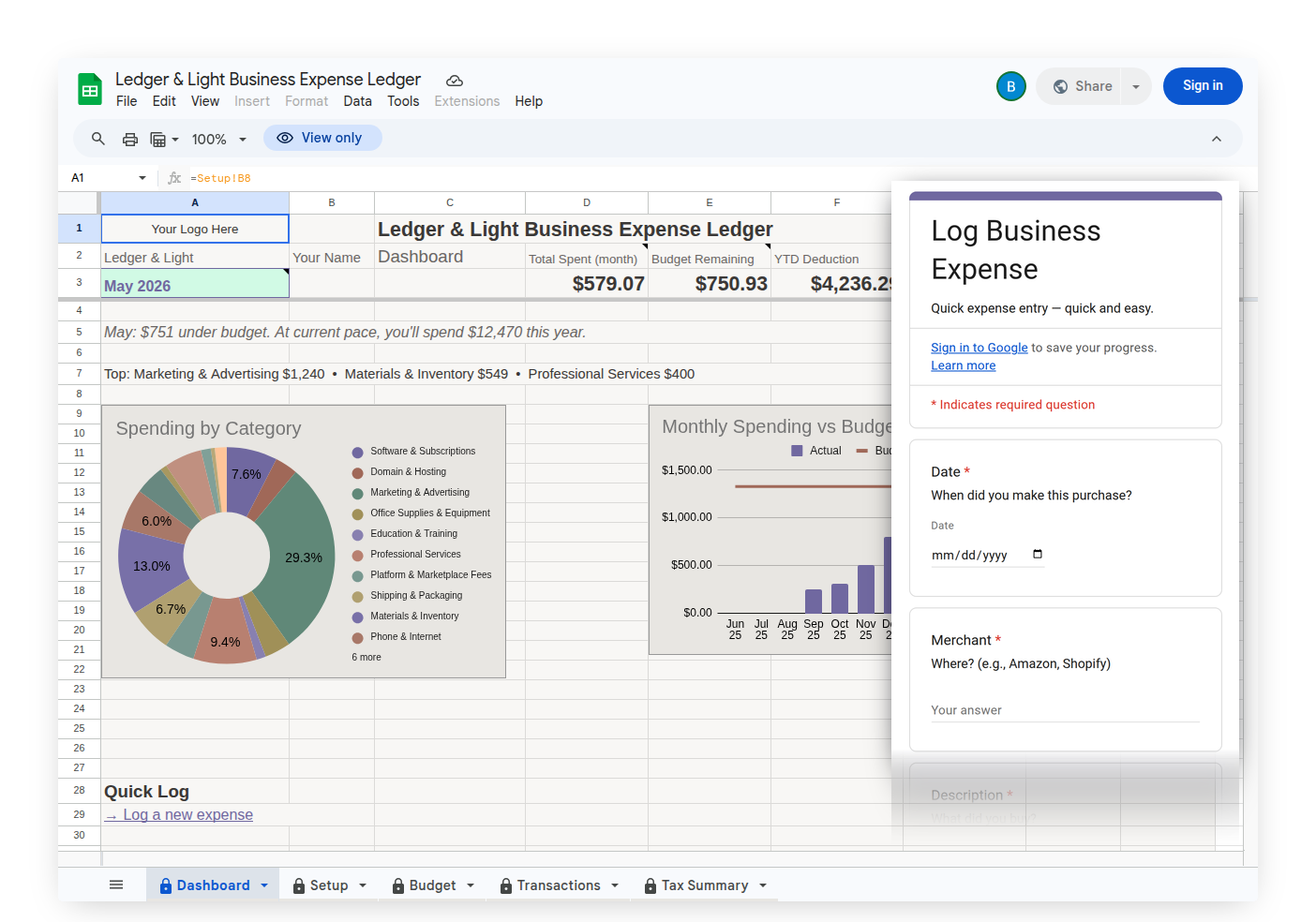
Expense Ledger is built for Schedule C filers logging business expenses. It is not accounting software. There are things it does not do: no bank import, no automated transaction pull, no GPS mileage tracking, no built-in quarterly tax estimates. If you need any of those specifically, you need a tool designed for them.
What it does: expenses entered through a mobile-optimized form, with an optional receipt photo upload field you add once following the setup instructions that links photos directly to each Transactions row, organized into the Schedule C expense categories that apply to most solo freelancers and self-employed business owners (the IRS structure, not a custom choice), and summarized in a Tax Summary that maps directly to Schedule C line items. Expense & Mileage Ledger adds a Mileage Log with the IRS deduction calculated per trip, and Customize Forms for tailoring form dropdowns. Expense & Mileage Ledger + Reporting adds Email Tax Report, your Tax Summary, expense transactions, and mileage log sent to your accountant as formatted PDFs from the menu, and Tab Export for saving any tab to your Drive. Your data lives in a Google Drive file you own. One-time purchase, no subscription.
When you've genuinely outgrown a simple ledger
The line isn't arbitrary. You've outgrown Expense Ledger when you have employees on payroll, when you're billing clients on net terms and need to manage accounts receivable, when you're reconciling multiple bank and credit accounts and need that reconciliation auditable, or when your accountant asks for formal P&L statements rather than a year-end expense summary.
Until that inflection point, the tool you need is the one that matches what you're actually doing, not the one marketed to the category you'll eventually be in.
The decision
If you're logging business expenses manually, filing Schedule C, and your transaction volume is manageable: a lean ledger built for that workflow is the right tool. If you need automated bank import, automated transaction categorization, or quarterly tax estimates built in: accounting software is the right tool.
Both answers are correct for the businesses they fit. The mistake is buying for the business you might eventually become.