
Every Gift, On Record: How the Donation Ledger Works
A charitable giving record for the new non-itemizer limit and for itemizers: log money and items from your phone, and see the record each gift needs


A record of charitable giving earns its keep at tax time, when it can answer three questions without a search through old statements: what did we give, to whom, and do we have the receipt or letter for each gift. The Donation Ledger is built around those questions. It is a Google Sheet with a phone form: each time a gift goes out, at church, at a drop-off or online, the entry travels form to sheet and the totals update from it. Logged in-the-moment, the record holds every gift the day it happened.
What changed for tax year 2026
Starting with tax year 2026, people who take the standard deduction may deduct up to $1,000 of cash gifts to qualifying charities, or $2,000 on a joint return. The limit is set in the law with no inflation adjustment. Gifts to a donor-advised fund or to a supporting organization do not count toward it, and neither do items such as clothing or furniture. People who itemize keep the charitable deduction they had, with one change: gifts count only above 0.5% of their contribution base, which is generally their adjusted gross income. The Donation Ledger keeps the record both kinds of filer need. Which kind applies to a household is a question for its tax professional, and the sheet never answers it.
The form that writes to the log
The form is called Log a Gift, and a link to it sits at the top right of the Dashboard. It asks for the date, the organization, the kind of organization, and what was given: Money or Items. A money gift adds the amount and how it was paid (check, card, bank transfer, cash or payroll). An item gift adds a description, the condition, the fair market value and a note of how that value was set. Every gift adds the value of anything received in return and the record the giver has: a charity receipt or letter, a bank or card record, or none yet.
Everything the form collects lands as one row on the Gift Log tab, so the whole year of giving sits in one place, in order. The log holds up to 5,000 gifts.
Four columns the sheet works out
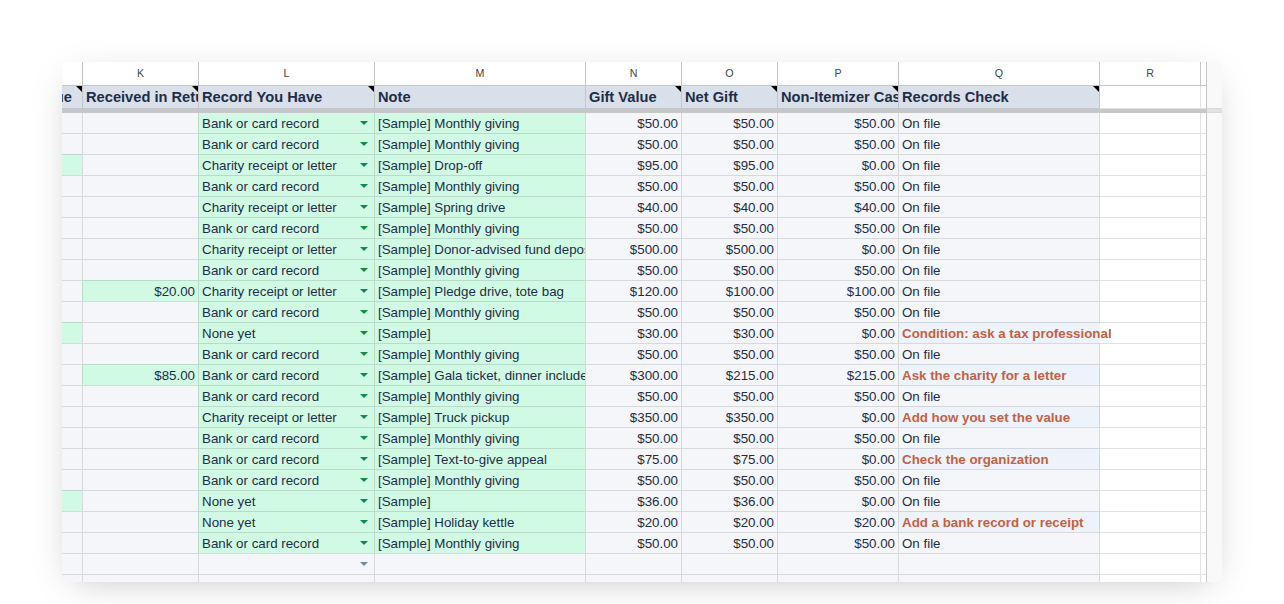
Beside each gift the sheet fills in four columns. Gift Value is the amount for money and the fair market value for items. Net Gift takes off anything received in return, such as a gala dinner or a tote bag, because a gift is reduced by the value of what came back. Non-Itemizer Cash repeats the Net Gift only when the gift was money to a charity, church or school, the gifts the new limit counts. Records Check names the next record the gift needs, or reads On file.
Records Check, gift by gift
Each status points at a rule. "Add a bank record or receipt" appears on a money gift with no record yet, because every gift of money needs a bank or card record, or a receipt, letter or email from the charity. "Ask the charity for a letter" appears on any single gift of $250 or more without one, because those need a written acknowledgment from the organization, in hand by the day the return is filed. "Condition: ask a tax professional" appears on items marked worn or damaged, because clothing and household items must be in good used condition or better. "Add how you set the value" asks for the note behind an item's value. "Check the organization" appears when the kind of organization was Not sure; the IRS Tax Exempt Organization Search at IRS.gov/TEOS is the place to look it up.
The Dashboard
Across the top sit Money Given, Items Given and Non-Itemizer Cash for the selected year, with month and year pickers beside them. Under them, a line for the month and a bar that fills as cash to charities approaches the limit. A Gifts by Recipient panel splits the year into charities, churches and schools; donor-advised funds; private foundations and supporting organizations; and the gifts still to check.
The Your Giving Record panel holds the one choice the Dashboard needs: the kind of return. Single, head of household and married filing separately share the $1,000 limit; a joint return has $2,000. The panel then shows the limit, the cash to charities so far, the room left, the items given this year, and the gifts that still need a charity letter or another record. Once items given pass $500 for the year, the label says so, because that is the point where Form 8283 goes with the return.
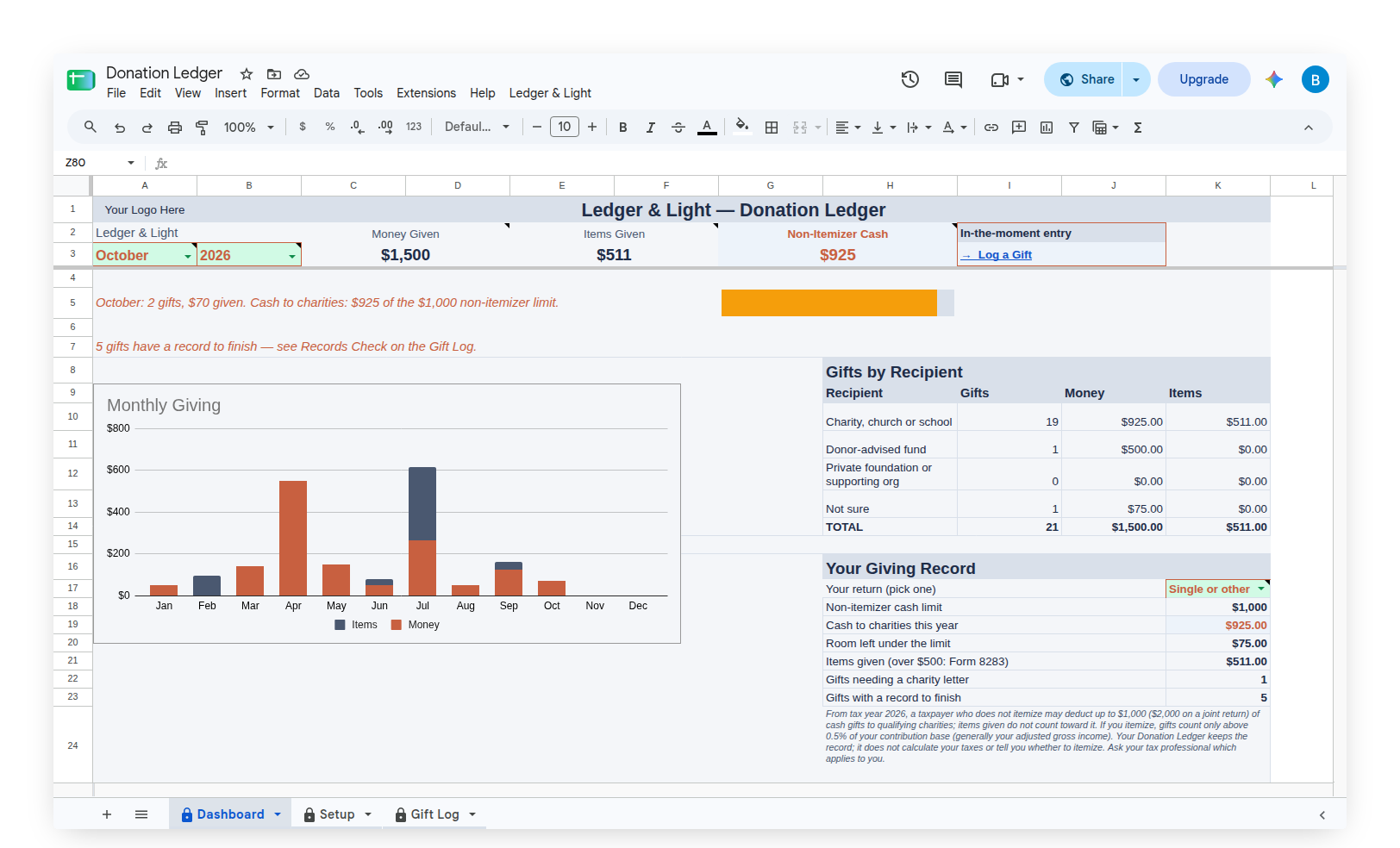
Below sit a Monthly Giving chart, This Month at a Glance and a Monthly Summary of gifts, money, items, anything received back, net gifts and non-itemizer cash.
Starting with a sample year, then making it your own
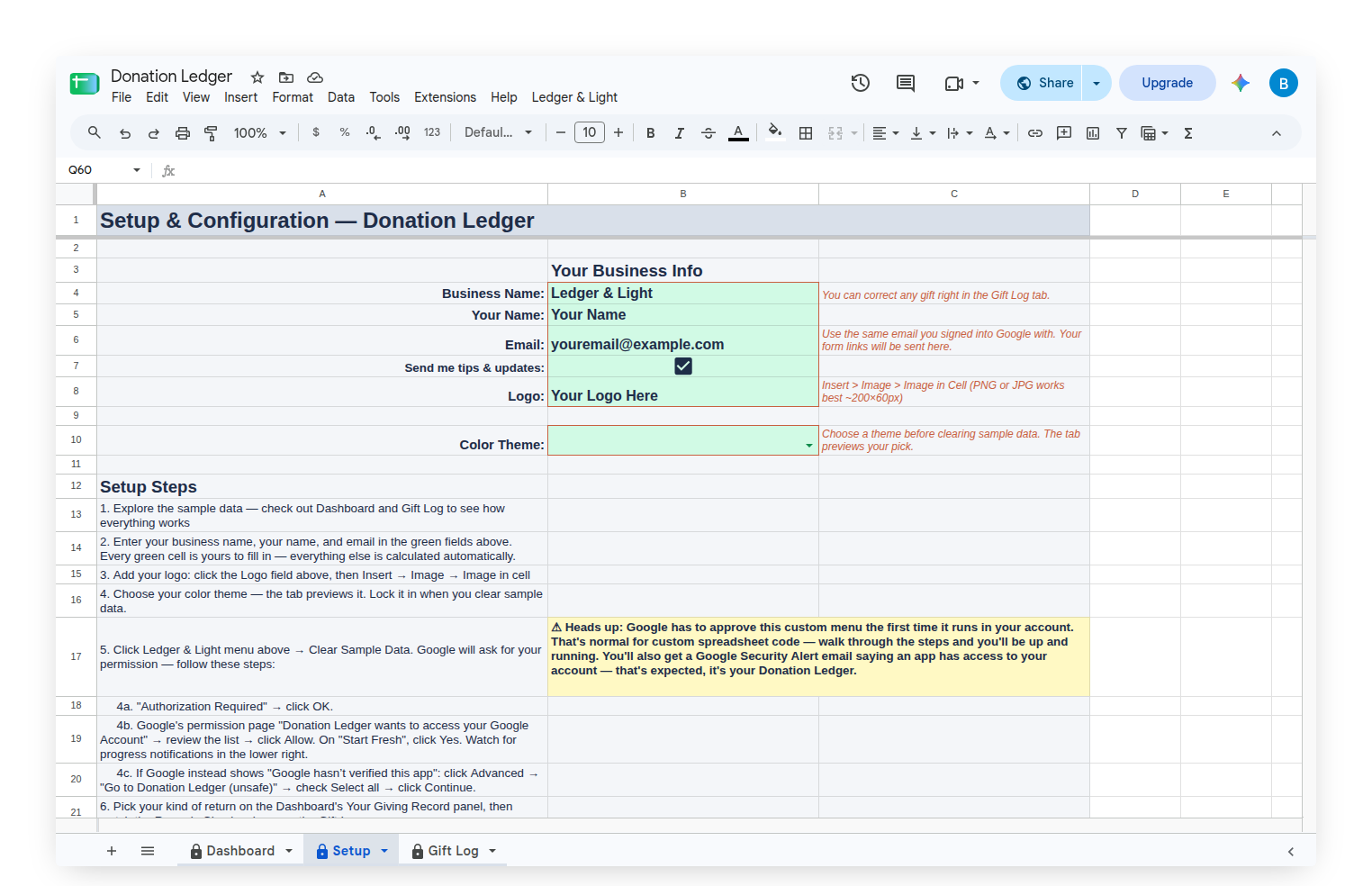
The Donation Ledger arrives filled with a sample year of household giving: monthly church gifts, a food bank, a pledge drive with a tote bag, a gala ticket with dinner included, a donor-advised fund deposit and bags of clothing and furniture for a thrift shop, so every status and every panel shows something real. Clear Sample Data, on the custom Ledger & Light menu, empties the log and leaves the formulas and the form. The menu also carries "Show my Gift Form link," so the form's address is always one menu away when it needs to be bookmarked on a phone.
Owned, not rented
The Donation Ledger is a Google Sheet bought once and kept, living in the owner's own Google Drive with no subscription to renew. Every past year stays in the same sheet; picking a year on the Dashboard shows that year's giving.
This article describes how the Donation Ledger works. It keeps the record; it does not calculate taxes or advise on whether to itemize. A tax professional has the final word on any return.