
How to Log Business Mileage the IRS Will Accept
The IRS requires a contemporaneous mileage log with four specific fields per trip. Here's what that means and how to build one that holds up in an audit


Most people who drive for business know the mileage deduction exists. Fewer understand how to log business mileage the way the IRS actually wants to see it. Business mileage is one of the most commonly audited deductions on a Schedule C — not because auditors assume fraud, but because logs are frequently built in ways that don't hold up.
The IRS standard isn't complicated. It requires four fields per trip and a habit of recording them at the time.
What the IRS requires
The IRS requires a contemporaneous mileage log: a record created at or near the time of the trip, not reconstructed months later from memory or card statements. Each entry must include:
- Date of the trip
- Destination: the business location you drove to
- Business purpose: why the trip was necessary for your business (What to write in the business purpose field)
- Miles driven
"Contemporaneous" is the part most people underestimate. A year-end reconstruction has less weight in an audit than a log showing entries recorded trip by trip throughout the year.
Odometer vs. GPS: what holds up better in an audit
Two methods are commonly used: odometer start/end readings per trip, or GPS auto-tracking via an app. Both are acceptable. But there's a reason experienced tax professionals prefer odometer-based logs for clients with meaningful deductions.
An odometer reading is a physical number on the vehicle at a specific moment. It can't be backdated or generated after the fact. GPS auto-tracking produces data from a third-party app, which means it can be questioned, regenerated, or unavailable if the app changes or shuts down.
In an audit, a log with odometer start/end readings is harder to challenge. The number was on the car. You wrote it down.
The habit problem
Short trips are the ones that go unlogged. A five-mile drive to a client meeting, a quick supply run: they feel too small to bother with. Over a year, they aren't. At the current IRS rate, a dozen short trips a week adds up to a real deduction. The trips that fail in an audit are usually not the long ones.
The fix is making the log frictionless enough to complete in the parking lot, before you walk in the door. Not the next morning. Not at the end of the week.
Mileage Ledger
Mileage Ledger is built around the IRS log requirement. The Mileage Form opens on your phone in any mobile browser — no app to download. Each entry captures date, destination, business purpose, and odometer start and end. Submit the form and the entry lands in your Mileage Log with the IRS deduction calculated per trip at the current standard rate.
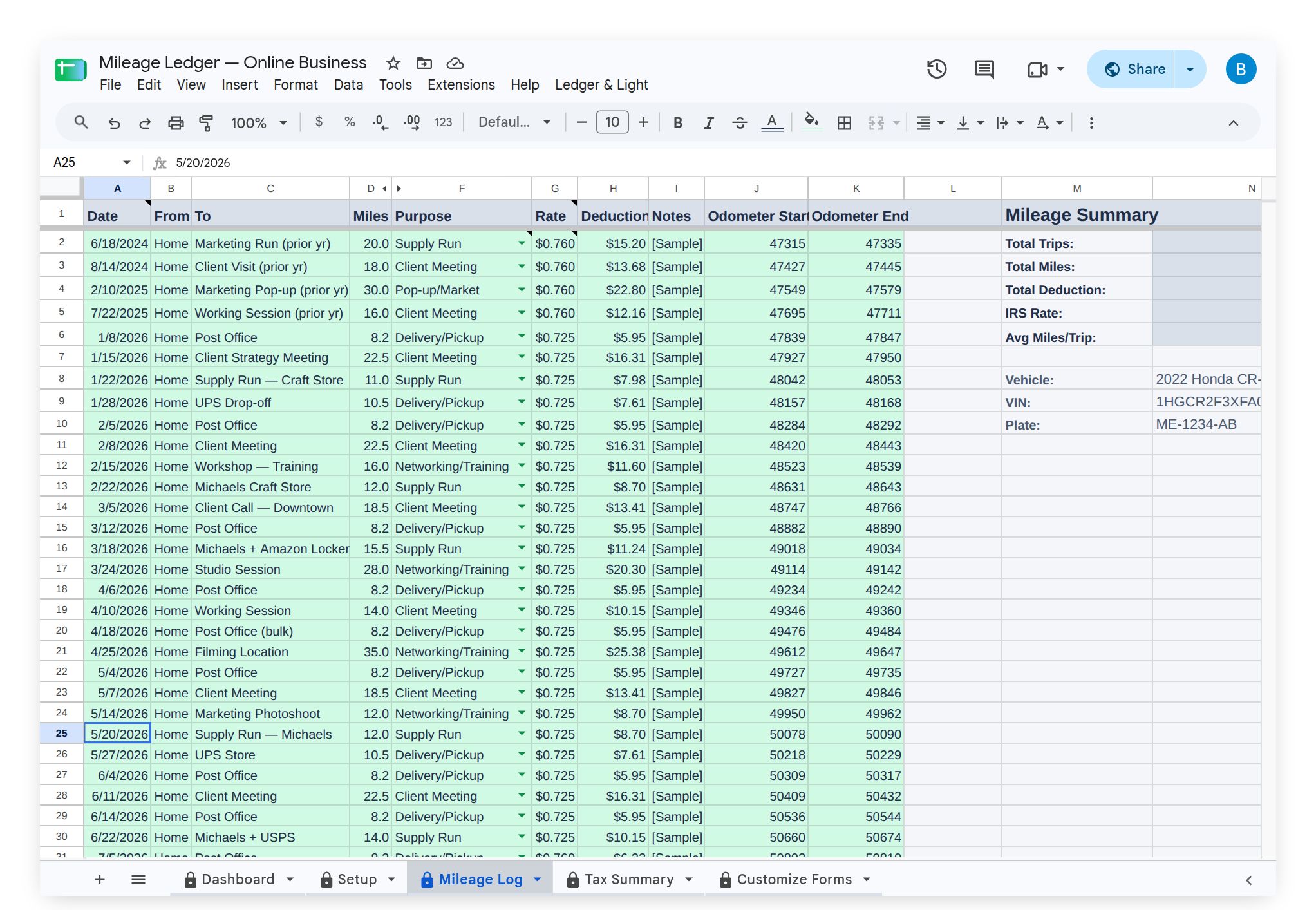
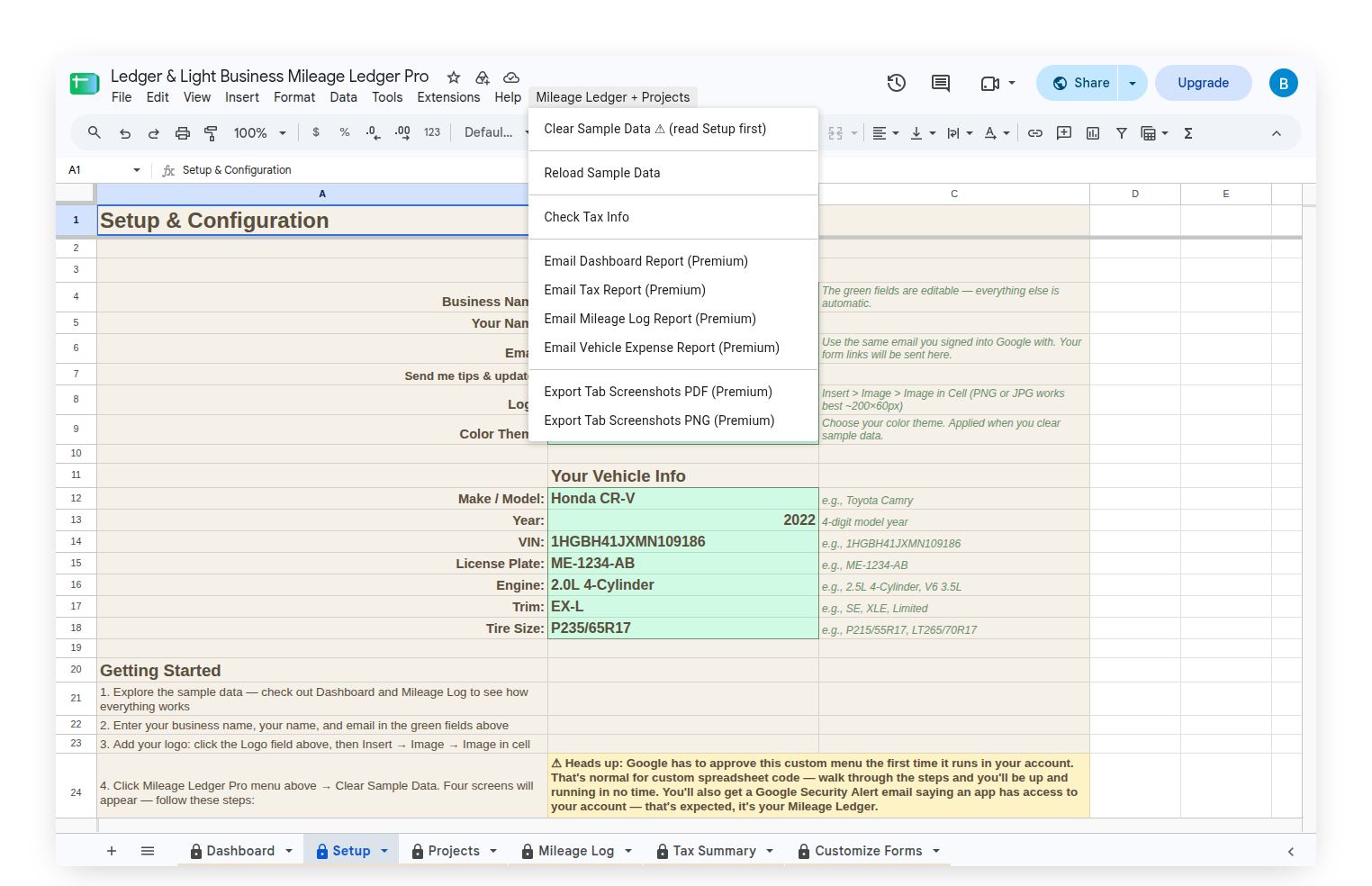
Before filing, your custom Mileage Ledger menu includes a Check Tax Info option that confirms you're using the correct rate for the tax year. The rate updates automatically, but verifying it before you file is a step worth taking.
The Mileage Log is a Google Sheet in your own Drive. The entries belong to you, not a tracking app's export, not a third-party service's database. A log built trip by trip, in a file you own. Mileage Ledger is a one-time purchase. The file you set up today works the same in year five.
If you also log business expenses, Expense & Mileage Ledger and Expense & Mileage Ledger + Reporting include a Mileage Log with the same structure — useful for keeping expense and mileage records in a single file.