
How to Reconstruct a Mileage Log You Forgot to Keep
How to reconstruct a mileage log for taxes from calendar entries, client invoices, bank statements, and odometer readings when a year went unlogged


If a year went by without a single mileage entry, here is how to reconstruct a mileage log for taxes using records that already exist. The year is over, but the deduction usually is not. Real evidence, calendar entries, client invoices, bank statements, and a handful of odometer numbers pulled from other paperwork, can rebuild a defensible log for a year already gone. It takes more work than logging in the moment would have, and it will never be quite as strong as a log kept at the time. For most self-employed drivers, though, it beats writing the year off entirely.
The gold standard, and the rescue for a year already gone
A mileage log kept at the time of each trip, the date, the purpose, and the miles entered close to when the drive happened, is the strongest record there is. That is the gold standard, and it is worth aiming for going forward. A reconstructed log, built weeks or months after the fact from other records, is not quite as strong. It is not a substitute for logging in the moment. But it is not nothing either. It is a rescue for the year already gone, built to hold up because it rests on evidence that existed before tax season arrived, not on memory alone.
What a reconstructed log actually needs
This is the part worth getting right. A mileage deduction is held to a stricter standard than most business expenses. The IRS does not accept a guessed number, even a careful one. A reconstructed log has to be built the same way a contemporaneous one would have been, entry by entry, with each trip supported by something that proves it happened: a calendar entry, an invoice, a receipt, a location record. Round numbers and best guesses do not hold up if a return is ever questioned. Real records do.
How to reconstruct a mileage log using records you already have
Most self-employed drivers already have more of this evidence than they realize. Start pulling from:
- Calendar and appointment history. Google Calendar or a paper planner shows where a day was headed, and often the address.
- Client and job records. Invoices, work orders, and job addresses tie a trip to a specific customer or site on a specific date.
- Phone location history. Google Maps Timeline, or a similar location history, can confirm where the car actually went and when.
- Bank and credit card statements. Gas purchases, tolls, and parking charges are dated and often show a location, corroborating that a trip happened.
- Odometer readings from other paperwork. An oil change, inspection, or repair invoice usually lists the odometer reading and the date. A handful of these across the year can bracket total mileage before any single trip is reconstructed.
- Recurring, provable patterns. A standing weekly job site at a known round-trip distance can be reconstructed for every week it recurred, once the pattern itself is documented from a contract, invoice, or calendar series.
Turning evidence into entries
Reconstructing is not just producing a total, it is rebuilding the log the way it should have looked the first time. For each surviving piece of evidence, note the date, where the trip started and ended, why it happened, and how many miles it covered. Cross-reference where possible. An invoice date matched to a Timeline route matched to a gas receipt is a far stronger entry than any one of the three alone. Where the evidence runs out, the honest move is to leave that stretch out of the log rather than smooth it over with a guessed figure. A shorter, well-supported log holds up. A longer one padded with guesses does not. How to Log Business Mileage the IRS Will Accept covers what belongs in a well-formed entry, reconstructed or not.
The permanent fix: log it in the moment going forward
None of this has to happen again. Mileage Ledger is built around the one habit that prevents the whole reconstruction problem: logging each trip in the moment it happens rather than months later. The Mileage Form opens in any mobile browser, with no app to download, so a trip can be logged right after it is driven, while the details are still fresh and true.
There is no need to wait for a new year to begin. Every trip is entered with its own date, so a rebuilt log can go straight into the Ledger with the real dates each trip happened, and each entry lands in the correct tax year on its own.

Odometer entry, the method the IRS prefers, is one of the ways to record a trip's distance on the form, and it produces exactly the kind of dated, specific record that made reconstruction possible in the first place, without months of gathering. Each trip lands in the Mileage Log with the deduction calculated per trip at the current IRS standard mileage rate, so nothing waits until April to be worked out.
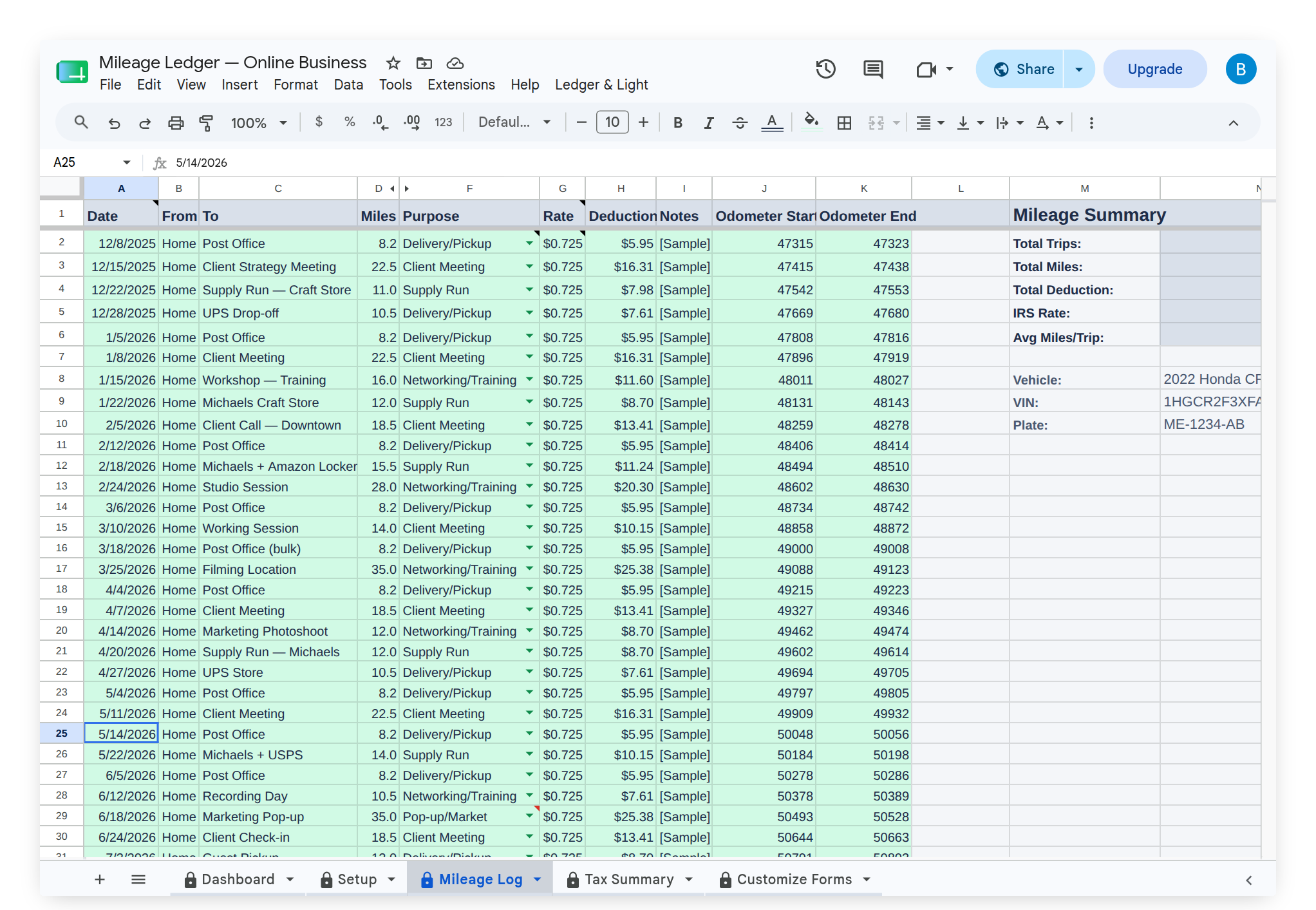
At year-end, upgrading to Expense & Mileage Ledger + Reporting adds Email Mileage Log Report, which sends the full mileage log to an accountant as a formatted PDF, and Tab Export, which saves every tab to Drive, the same handoff a reconstructed log is built toward, minus the months of gathering it took to get there. Mileage Ledger itself is a one-time purchase that lives in a personal Google Drive, not a subscription that has to keep being paid to keep the records readable. Log it in the moment once, and reconstruction never has to happen twice.
This article is general information, not tax or legal advice. Whether a reconstructed log is adequate for a specific year and situation depends on the strength and completeness of the underlying records, so confirm it with an accountant before relying on it to support a return.